Digital Products / Etsy Templates · Claim Review
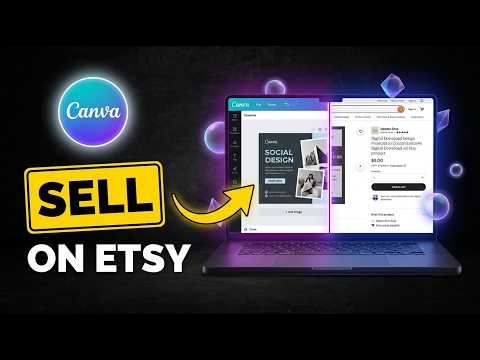
“How to Sell Canva Templates on Etsy — Step by Step Beginner Tutorial 2026”
What we found: Canva Templates on Etsy: A Sound Tutorial, One Borrowed Sales Figure, No Fees
The template-link and PDF delivery steps are correct and useful. The earnings case is one stranger’s 10,000 sales, and Etsy’s cut never comes up.
- 10,000 × $10 Example seller
- ~$3 Single template price
- $15–$25 Bundle of 10–20
- Not mentioned Etsy fees
The claim
That selling Canva templates on Etsy is one of the simplest online businesses to start, where you create a product once and sell it repeatedly, and that doing the basics consistently means "your product starts generating a lot of sales."
- Planner seller cited — "Sold 10,000 planners for $10"
- Implied gross for that seller — ~$100,000
- Typical beginner single-template price — ~$3
- Bundle price, 10–20 templates — $15–$25
- Implied price per template in a bundle — $0.75–$2.50
- Etsy listing and transaction fees — Never mentioned
- Presenter’s own shop or sales — Never shown
- Time to first sale — Never stated
What is this income idea?
Design simple editable templates in Canva, package them as bundles, and sell access to them on Etsy as an instant digital download.
- The video is mostly a screen tutorial. It opens with the pitch that this is "one of the simplest business models you can start in 2026" because "you create the product once and sell it over and over again."
- For niche research the presenter points to planners, business templates and social media kits, and to sales counts on existing listings: "this guy sold 10,000 planners for $10 which means this person has made a lot of money off of this." The advice is to "enter a proven market" rather than invent one. The Etsy search results on screen at 1:20 show what that market looks like: planners at $10.70 (marked down from $21.40, 50% off), $17.93 (from $68.95, 74% off), $10.97 (from $31.33, 65% off) and $0.32 (from $0.92), with the top listings carrying 4.2K to 10.2K reviews and several marked as ads.
- Most of the runtime builds a simple 4:5 Instagram post template: a light background, a bordered box, a ribbon element and placeholder text, modelled on a listing the presenter found on Etsy. The design advice is sensible: "templates sell because they’re flexible not because they’re complex." Duplicating it with variations turns one design into a small bundle.
- The most useful step is technical. Instead of sharing the design itself, you create a Canva template link so each buyer gets their own copy, put that link inside a PDF, and upload the PDF to Etsy. The video calls this "the most important and confusing step", and it is the part a beginner is most likely to get wrong.
- The Etsy section walks through opening a shop, naming it, choosing a country of residence ("it cannot be changed later") and connecting a payout account. Pricing is brief: singles "around $3", bundles of 10 to 20 templates "$15 to $25".
- The video gives no figure for Etsy’s fees, no sales from the presenter’s own shop, and no estimate of how long a first sale takes.
Make a template once in Canva, share it as a copyable link inside a PDF, and sell that PDF on Etsy for a few dollars, minus fees the video does not mention.
- Find a selling niche — Look at sales counts
- Design in Canva — Keep it simple
- Make variations — One design to a bundle
- Create a template link — Buyers get a copy
- Put the link in a PDF — That is the download
- Open an Etsy shop — Country is permanent
- List with mock-ups — $3 single, $15–$25 bundle
Accurate mechanics for a digital download; the economics are left to the viewer.
The delivery step is the product
The lesson underneath the number
- The most valuable minute in this video is the least glamorous. A Canva design is not a file you can simply upload. If you share the design itself, every buyer edits your original. Creating a template link gives each buyer their own copy, and placing that link inside a PDF is how Etsy can deliver it as an instant download. The video calls this "the most important and confusing step", which is fair. A shop that gets it wrong will collect refunds and bad reviews whatever its designs look like.
- The design advice is also sound. "Templates sell because they’re flexible not because they’re complex" is true of the category, and turning one design into a set of variations is the cheapest way to make a bundle look like more value. What the video calls bundling is really pricing: the same work sold as twenty items at $20 rather than one item at $3.
- The weakness is the money. The one figure offered, 10,000 planners at $10, comes from someone else’s listing, with no period, no costs and no indication of how typical it is. The niche advice is to find listings like that and enter the same market, and the worked example copies the layout of a template already selling there. That is a way to confirm demand. It is also a way to end up as one of many near-identical listings competing on price.
- Etsy’s fees are absent entirely. At $3 a template they are not a rounding error. A beginner reading this should set prices with the listing fee, the transaction fee and payment processing already deducted, and expect to need dozens of single sales or a handful of bundles to make even $100 a month.
Templates sell because they’re flexible not because they’re complex.
The presenter, on design
The method, as the video gives it
Clear on how to make and deliver the product, thin on what it earns.
Most of the video is on-screen design work in Canva and Etsy, showing the steps rather than results. The Etsy search page at 1:20 shows competing planner listings and their prices; the 10,000-sale figure is read aloud from a listing.
- Pick a niche with visible demand — Search Etsy for terms like "Instagram templates" or "digital planner" and "pay attention to how many sales they have." The presenter cites one planner seller with 10,000 sales at $10.
- Design something simple — A 4:5 Instagram post with a light background, a bordered box, a ribbon element and placeholder text. "Do not overdesign it." The layout is modelled on an existing Etsy listing.
- Turn one design into a bundle — Duplicate the page and vary the background or elements. "Bundles are where you make more money."
- Create a Canva template link — Share → See all → Template link. Buyers get their own copy rather than editing your original. "If you skip this step your product is not going to work properly."
- Open an Etsy shop — Language, country, currency, shop name, bank location and payout account. The presenter warns that country of residence "cannot be changed later."
- List it properly — Show the template on a phone mock-up, use a clear searchable title, say how many templates are included and that they are Canva templates, and use keyword tags.
- Deliver a PDF, not the file — Upload a PDF containing the template link. Buyers click it, the template opens in Canva, and they edit their own copy.
The business model
One-off sales of editable Canva templates on Etsy, around $3 for a single and $15 to $25 for a bundle of 10 to 20.
Small businesses and individuals wanting ready-made Instagram posts, planners or business templates they can edit in Canva.
A finished, editable design that saves the buyer the time of making one, delivered instantly.
Etsy search, helped by clear titles, keyword tags and phone mock-ups.
- Etsy listing fee — Charged per listing. Not mentioned
- Etsy transaction fee — A percentage of every sale. Not mentioned
- Payment processing — Varies by country. Not mentioned
- Payout account — Named as the payment route; fees not discussed
- Design time — Shown for one template only
- Tax — Not mentioned
Inventory really is zero. Marketplace fees are not, and at a $3 price point they are the main cost.
What you would actually need
Money
Not discussed. The pitch is no inventory, no shipping and no physical products.
Start-up cash really is low, but selling is not free. Etsy charges a listing fee per item and a transaction fee on each sale, plus payment processing, and none of it is mentioned. On a $3 template those fees take a noticeable share.
Costs the video leaves out
- Etsy listing fee per listing (published by Etsy)
- Etsy transaction fee on every sale (published by Etsy)
- Payment processing fees, which vary by country
- Payout account fees, if any (not discussed)
- Etsy Ads, if used to get visibility (not discussed)
- Income tax on the profit
Time
Implicitly short. One template is built on screen in a few minutes, and the advice is to "start small" and "build your shop over time."
Building one template is quick. The slow part is building enough listings to be found among "tons and tons" of sellers, and the video gives no idea of how long the first sale takes.
Where the hours go
- Researching niches and existing listings
- Designing and varying each template set
- Making mock-up images for every listing
- Writing titles, descriptions and tags
- Answering buyers who cannot open the link
- Time to first sale: never stated
The part you must pay attention to
The only earnings evidence is a stranger’s best-selling listing.
"This guy sold 10,000 planners for $10" is the whole income case. It belongs to another seller, has no time frame, and is quoted before any fee.
- Sales on that listing — 10,000
- Price each — $10
~$100,000 gross
Over an unstated period, before Etsy’s fees, for one established seller
Choosing a niche by looking at the listings with the most sales tells you there are buyers, and also who you are competing with. The video says "tons and tons of people sell planners and they sell a lot", then recommends entering that market with a first template modelled closely on a design already selling there. It does not say how a new shop with no reviews gets seen next to a listing with 10,000 sales, and that visibility is what the whole plan depends on. The search page on screen at 1:20 makes the point itself: top planner listings with 4.2K to 10.2K reviews, several paid placements marked Ad, prices shown as 50–74% off, and one planner at $0.32.
The suggested prices are small, which makes the missing fees matter more. A single template at around $3 pays Etsy’s per-listing fee and a transaction fee on the sale, plus payment processing. A bundle of 10 to 20 at $15 to $25 works out at 75 cents to $2.50 per template. The closing promise that consistent work means "your product starts generating a lot of sales" has no number, timeline or example from the presenter’s own shop behind it.
- THE ONE INCOME FIGURE
- 10,000 sales x $10 = $100,000
- whose shop? another seller
- over how long? not stated
- after Etsy fees? not stated
- THE SUGGESTED PRICES
- Single template ~$3
- Bundle of 10-20 $15-$25
- Per template $0.75-$2.50
- TO CLEAR $100 A MONTH (our maths)
- at $3 singles ~40 sales
- at $20 bundles ~6 sales
- (after listing + transaction
- fees; processing extra)
- PRESENTER'S OWN SALES not shown
The economics
Two suggested prices, one borrowed sales count, and no costs.
- Example seller’s sales — 10,000 at $10
- Example seller’s gross — ~$100,000
- Single template price — ~$3
- Bundle price, 10–20 templates — $15–$25
- Per-template price in a bundle — $0.75–$2.50
- Etsy fees — Not mentioned
- Presenter’s own revenue — Not shown
Sales needed to clear $100 a month
$100 ÷ ($3 less listing and transaction fees) and $100 ÷ ($20 less the same fees)
Roughly 40 single-template sales, or about 6 bundle sales at $20, before payment processing
IncomeIdeaLab calculation from the video’s suggested prices and Etsy’s published listing and transaction fees
Payment processing fees vary by country and are not included, and nor are Etsy Ads or tax, so the real number of sales needed is higher. Nothing in the video says how long it takes a new shop to reach these numbers.
- Any sales from the presenter’s own shop
- Over what period the 10,000-sale seller made those sales
- Etsy’s listing, transaction and processing fees
- How long a new shop typically waits for a first sale
- How many listings a shop needs before it is found
- Whether Etsy Ads are needed for visibility
- 10,000 sales at $10 is about $100,000 gross. The video says only that "this person has made a lot of money", which is fair as far as it goes, but it gives no time period and no costs, and it is one top listing rather than a typical result.
- A bundle of 10 to 20 templates at $15 to $25 prices each template at 75 cents to $2.50, so bundling raises the order value while lowering the price per design. That is a normal trade-off, and it makes the per-order fees a smaller share of the sale.
- The worked example is modelled on a template already selling on Etsy ("let’s say I’m going to create something like this one in the middle"). The video does not discuss how closely a seller can follow an existing design, or the licence terms for Canva elements used in a template for sale.
- The planner listings on the Etsy search page at 1:20 are shown at steep markdowns: $10.70 (was $21.40), $17.93 (was $68.95), $10.97 (was $31.33) and $0.32 (was $0.92). A new shop pricing a planner at $10 would be competing with listings like these, some of them paid ads.
Evidence status
Every substantive claim in the video.
- "This guy sold 10,000 planners for $10" — Presenter, browsing Etsy — About $100,000 gross, over an unstated period, for another seller.
- Beginners usually price singles around $3 — Presenter — Unsourced but plausible for the category.
- Bundles of 10–20 sell for $15–$25 — Presenter — A suggested price; no sales shown at it.
- Template links give each buyer their own copy — Presenter, on screen — Shown step by step. The most useful part of the video.
- Deliver a PDF containing the link — Presenter — Correct method for an Etsy digital download of a Canva template.
- Country of residence "cannot be changed later" — Presenter — A useful warning; not checked against Etsy documentation here.
- Consistency means "a lot of sales" — Presenter — No number, timeline or example from the presenter’s own shop.
- Etsy’s fees — Nobody — Not mentioned at any point.
- The presenter’s own sales — Nobody — No shop results are shown or described.
What is actually proven?
How to make and deliver the product, yes. What it earns, no.
- A Canva template is built and turned into a bundle on screen.
- The template-link and PDF delivery method is shown correctly.
- No course, affiliate link or sponsor is mentioned in the video.
- The Etsy search page at 1:20 shows competing planners at $0.32 to $17.93, marked 50–74% off.
- The cited seller grossed about $100,000 over an unknown period.
- Bundle pricing works out at $0.75–$2.50 per template.
- Etsy’s fees on these prices, never raised.
- Any sales made by the presenter.
- How long a new shop takes to make a first sale.
What the headline doesn’t tell you
A good tutorial that leaves the economics to you.
- The 10,000 sales are someone else’s. — Over an unknown period.
- Etsy charges fees. — Not mentioned once.
- $3 a template. — Fees take a real share of that.
- Bundles lower the unit price. — $0.75–$2.50 per template.
- "Tons and tons" of sellers. — The video’s own words; one planner on screen is $0.32.
- The example copies a live listing. — One way to end up competing on price.
- No time to first sale. — The key unknown for a beginner.
- No shop of the presenter’s own. — No results shown.
Should you try it?
A cheap, low-risk experiment if you price for fees
Follow the delivery steps exactly; ignore the 10,000-sale example and work out your own fees before you set a price.
- Technical accuracy of the delivery method — 9 — Template link inside a PDF, shown step by step.
- Design advice — 7 — Simple, flexible, varied into bundles.
- Freedom from conflicts — 8 — No course, affiliate link or sponsor mentioned.
- Evidence for income — 2 — One other seller’s listing, no period, no costs.
- Cost disclosure — 0 — Etsy’s fees never mentioned.
- Presenter’s own results — 0 — No sales shown.
- Realism about competition — 4 — Admits "tons" of sellers; no plan for standing out.
- Beginner accessibility — 8 — Almost no cash needed and the steps are clear.
- If you want to try selling templates, this is a reasonable walkthrough of the mechanics. Building a simple design, turning it into variations, creating a template link and delivering it inside a PDF are all shown, and the delivery step in particular is the one beginners most often get wrong. Follow it exactly.
- Do not treat the 10,000 planners as a forecast. That is one of the best-selling listings in a crowded category, quoted without a period or costs. The video itself says "tons and tons of people sell planners." The useful question for a new shop is not what the top seller made but how long it takes a shop with no reviews to make its first sale, and the video does not answer it.
- Price with fees in mind. Etsy charges per listing and per sale, and payment processing comes on top. At $3 that can take a large share of each sale. Bundles at $15 to $25 make the fees a smaller share and are the better starting point, which matches the video’s own advice that bundles are where the money is.
- Be careful about how closely you copy. The worked example is modelled on a template already selling on Etsy. Looking at what sells is sensible research; reproducing a competitor’s layout makes your listing one more near-duplicate competing on price.
Passive or automated?
Automation
Delivery is automatic once the PDF is uploaded.
Passive potential
Each listing can sell repeatedly, but listings have to keep being made.
This is one of the more genuinely repeatable models in its genre. A finished listing can sell many times, and Etsy delivers the PDF automatically, so a sale needs no action from the seller. "You create the product once and sell it over and over again" is accurate as far as the delivery goes. What is not passive is getting found: building enough listings, keeping designs current, making mock-ups and handling buyers who cannot open the link. A shop with a few listings in a crowded niche may sell nothing, however automated the delivery.
- Designing new template sets and variations
- Making mock-ups and writing listings
- Answering buyers who have trouble with the link
- Watching which listings get views and adjusting
- Keeping templates current as trends change
Recommended beginner experiment
Use the tutorial for the mechanics; do your own maths.
- Look up Etsy’s current fees first. — Listing, transaction and processing.
- Pick one narrow niche. — Not "planners" in general.
- Design originals, not copies. — Study listings; do not reproduce them.
- Launch with bundles. — $15–$25 makes fees a smaller share.
- Test the template link yourself. — Open the PDF as a buyer would.
- List several sets, not one. — One listing is hard to find.
- Track views, favourites and sales. — From the first week.
- Review after 90 days. — Then decide whether to continue.
Our verdict: 4/10
Right about the delivery, silent about the money a clear template tutorial whose only income figure is another seller’s, and whose prices ignore Etsy’s fees
Credited for an accurate, step-by-step demonstration of the part most beginners get wrong (creating a Canva template link and delivering it inside a PDF); for sensible design advice that favours simple, flexible templates and bundles; for a practical warning that the shop’s country of residence cannot be changed later; and for the absence of any course, affiliate link or sponsor in the video. Marked down because the only income evidence is one other seller’s 10,000 sales at $10, with no period or costs; because Etsy’s fees are not mentioned at any point despite suggested prices as low as $3; because no sales from the presenter’s own shop are shown; because the worked example is modelled on a design already selling on Etsy; and because the closing promise of "a lot of sales" has no number or timeline behind it.
As a tutorial, this does its job. It builds a simple Instagram template in Canva, varies it into a bundle, and gets the critical technical step right: share a template link rather than the design, place the link inside a PDF, and upload the PDF so Etsy can deliver it instantly. The design advice is sensible, the shop set-up is walked through click by click, and there is no course or affiliate link attached. As an income claim, it barely makes one. The single figure is another seller’s planner listing, "10,000 planners for $10", which is about $100,000 gross over a period the video does not give, from a top listing in a category the presenter describes as crowded. The suggested prices are $3 for a single template and $15 to $25 for a bundle, and Etsy’s listing fee, transaction fee and payment processing are not mentioned at all. At those prices, clearing $100 a month takes roughly 40 single sales or six bundles. The closing promise that doing the basics consistently means "a lot of sales" comes with no number, no timeline and no shop of the presenter’s own. Use the video to learn how to make and deliver a template, then work out the fees and the competition yourself.
- Example seller — 10,000 × $10 ≈ $100,000
- Single template — ~$3
- Bundle of 10–20 — $15–$25
- Per template in a bundle — $0.75–$2.50
- Etsy fees — Not mentioned
- Presenter’s own sales — Not shown
- Time to first sale — Not stated
- Beginner suitability — Good for mechanics, not maths
Sources
- How to Sell Canva Templates on Etsy — Step by Step Beginner Tutorial 2026 — Digital Tutorials 101 — YouTube video, 2026-04-26
- Etsy — Fees & Payments Policy — Platform documentation on listing, transaction and payment processing fees
- FTC — Guides Concerning the Use of Endorsements and Testimonials — Regulatory guidance on earnings claims